
Draw the shop
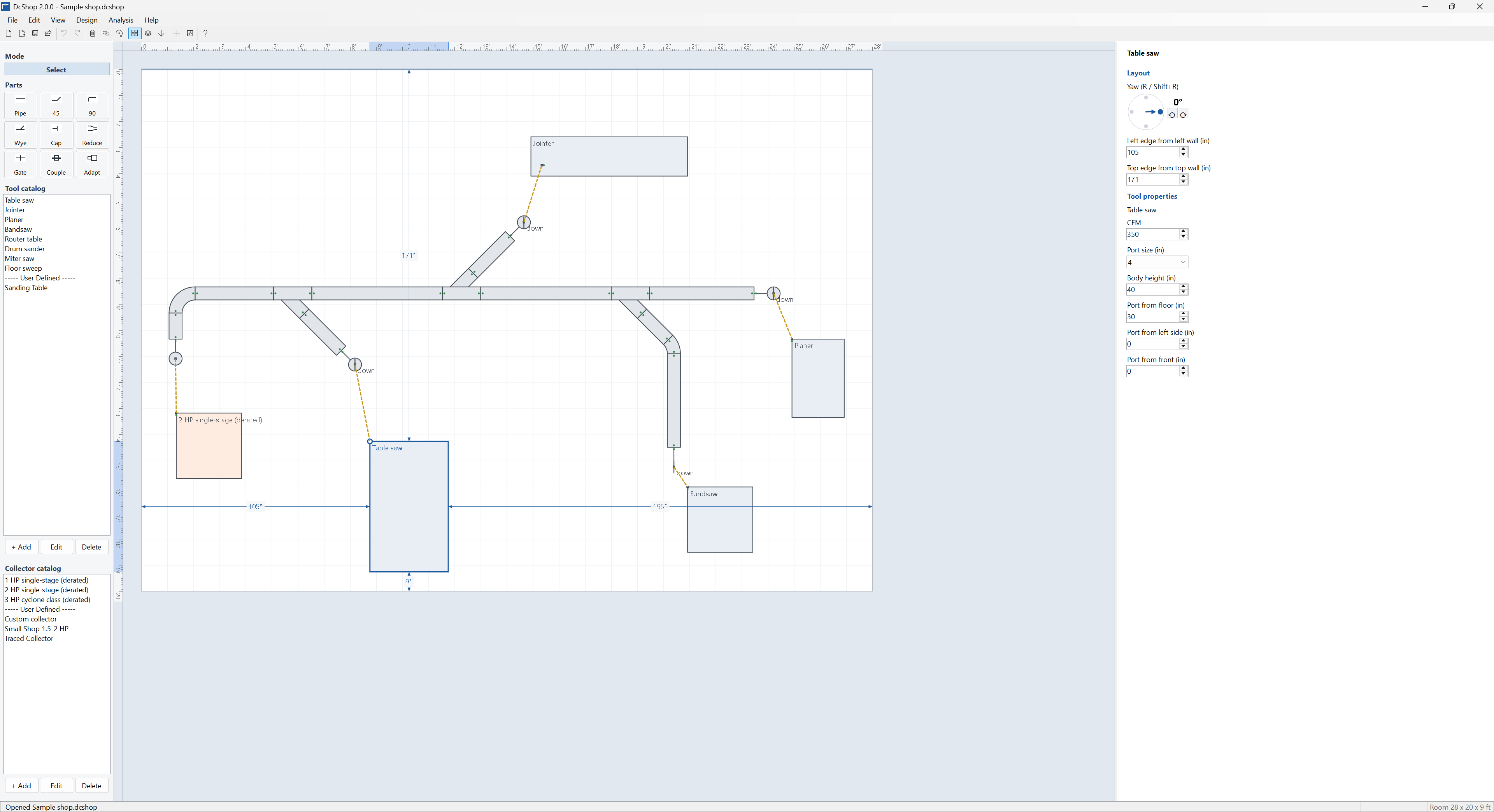
Set the room's walls, ceiling and main height. Drag Tools and your collector from their catalogs onto the floor.
Windows dust collection planner · Version 2.0
DCShop lets you lay out your shop's dust collection system on a floor plan, from the collector through the main, wyes and drops to each Tool, and checks that every Tool gets enough airflow. It adds up every pipe, fitting and hose between the Tool and the collector and finds where that resistance meets your collector's fan curve.
Paid license for Windows 10 and 11 (64-bit). Checkout and license key come from Polar. DCShop needs internet to activate and periodically check the license.
The finished product is an HTML report you can print or email. Open the sample report in your browser.
Most layouts are guessed from a chart. DCShop draws the layout to scale and calculates from what you drew.
Set the room's walls, ceiling and main height. Drag Tools and your collector from their catalogs onto the floor.
Snap pipe, elbows, wyes, reducers and blast gates together. Make drops down to each Tool automatically, finished with flex. Fittings that won't fit together are refused.
See the airflow (CFM), air speed (FPM) and static pressure at every Tool, with a fan chart and an air speed chart for each path.
2.0 is a rebuild. Version 1.0 shop files do not open in 2.0. See the FAQ.
Turn a fitting down and DCShop plans the drop to the Tool's port. Fine-tune it in Drop view. Flex length and fit are checked.
Save your own Tool and collector designs once, with footprint, port size and height, and reuse them in every shop. Trace a collector's fan curve from the maker's chart.
Pick a Tool's path and see the legend, fan chart, air speed chart and report text right beside the plan.
A picture of the shop, a summary for each Tool, the charts, the full calculation and a parts list, ready to print or email.
Tested on shops with 100 Tools and 700 parts. Analysis stays quick.
Undo, recent shops on the File menu, open ends flagged in red, and a complete built-in manual with a tutorial.
Screenshots from 2.0.
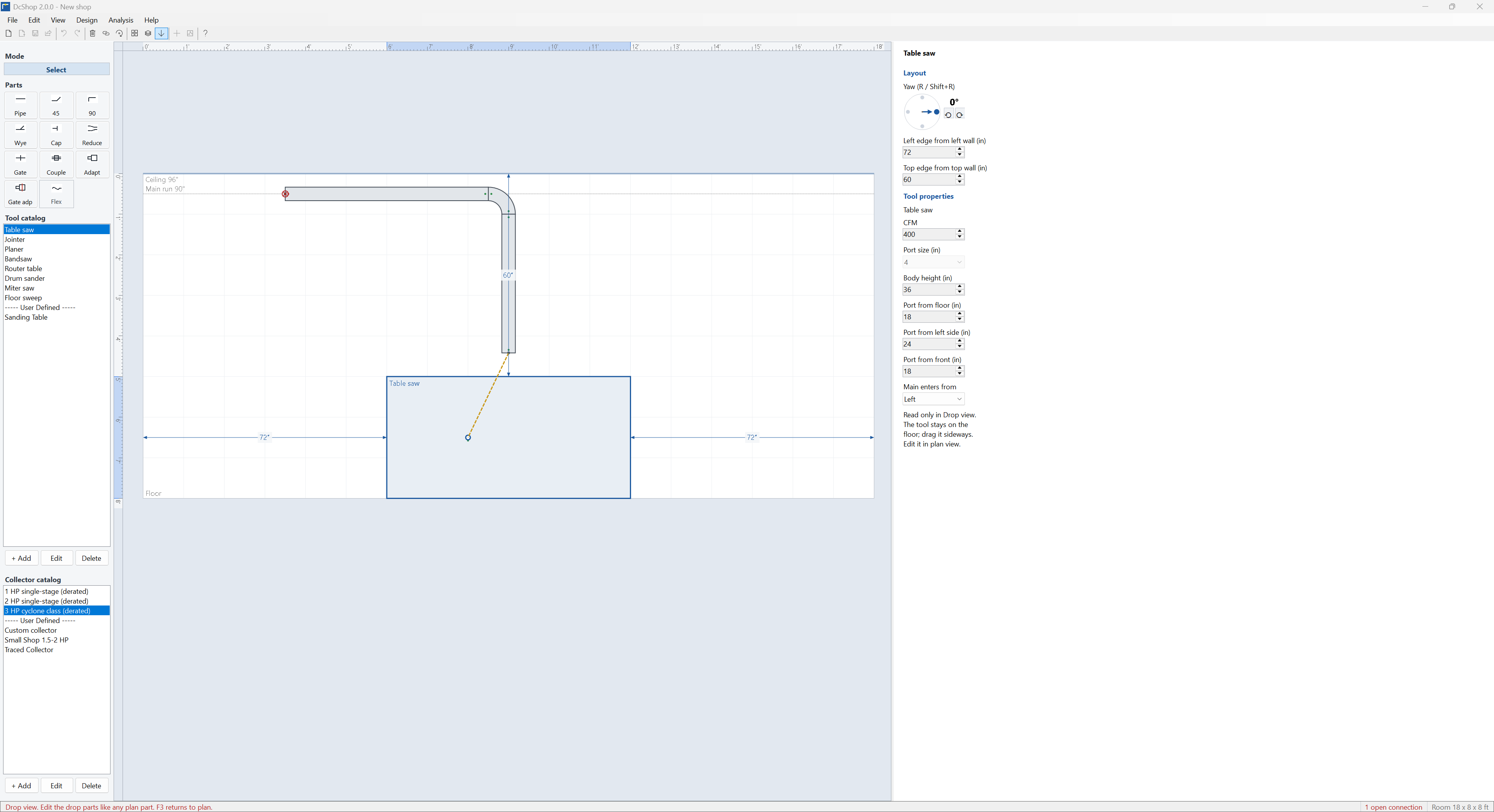
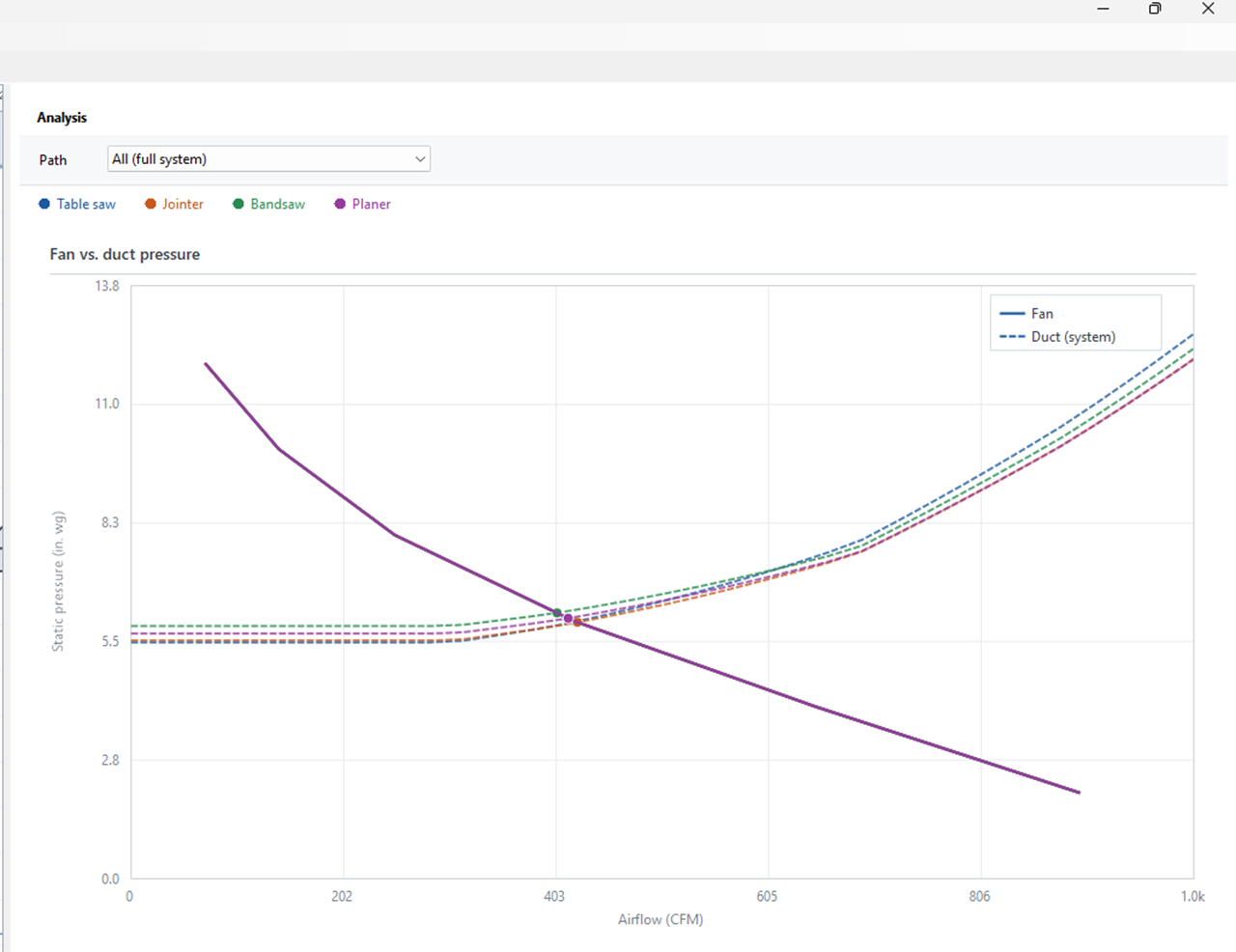
A single pipe size isn't the right answer for every Tool. Stepping the main down is part of the plan.
DCShop plans with the pipe you drew, one open Tool at a time. The limits are intentional.
Short answers.
No. A dealer design is a parts list tied to a purchase. DCShop is the plan you check before you order pipe from anyone. Use both if you want.
DCShop analyzes one open Tool at a time with the other gates closed. That is how most one-person shops run blast gates.
Curves in the Collector catalog are estimates unless you enter your own. You can trace a curve from the maker's published chart or type in measured points.
No. 2.0 uses a new shop file format. Redraw the shop in 2.0. Your 1.0 license does not activate 2.0.
Buy through Polar. You get a license key and download link by email. Install DCShop, open Help → License, paste the key and click Activate. One key activates one PC.
Yes. Open Help → License on the old PC and deactivate, then activate on the new one. Uninstalling DCShop also releases the key.
Activation needs the internet. After that, DCShop re-checks the license now and then and keeps working through short outages. Save, Open and Run analysis are locked until a key is active.
Pay through Polar. The email has the installer and your license key. If SmartScreen warns about a new download, choose More info → Run anyway.